The main challenge was to collect a public dataset and present it through a data visualization that balances accuracy, clarity, and aesthetic appeal for a specific target audience. Many data charts can appear overwhelming or difficult to interpret, so the goal was to apply design principles such as visual hierarchy, contrast, and composition to make complex data easy to read and visually accessible. By testing multiple chart types and refining the layout through annotation, color, and typographic structure, the final design communicates data not just as numbers but, as an organized, meaningful visual narrative.
Tableau | Adobe Illustrator | Figma
Communicating Data Through Design
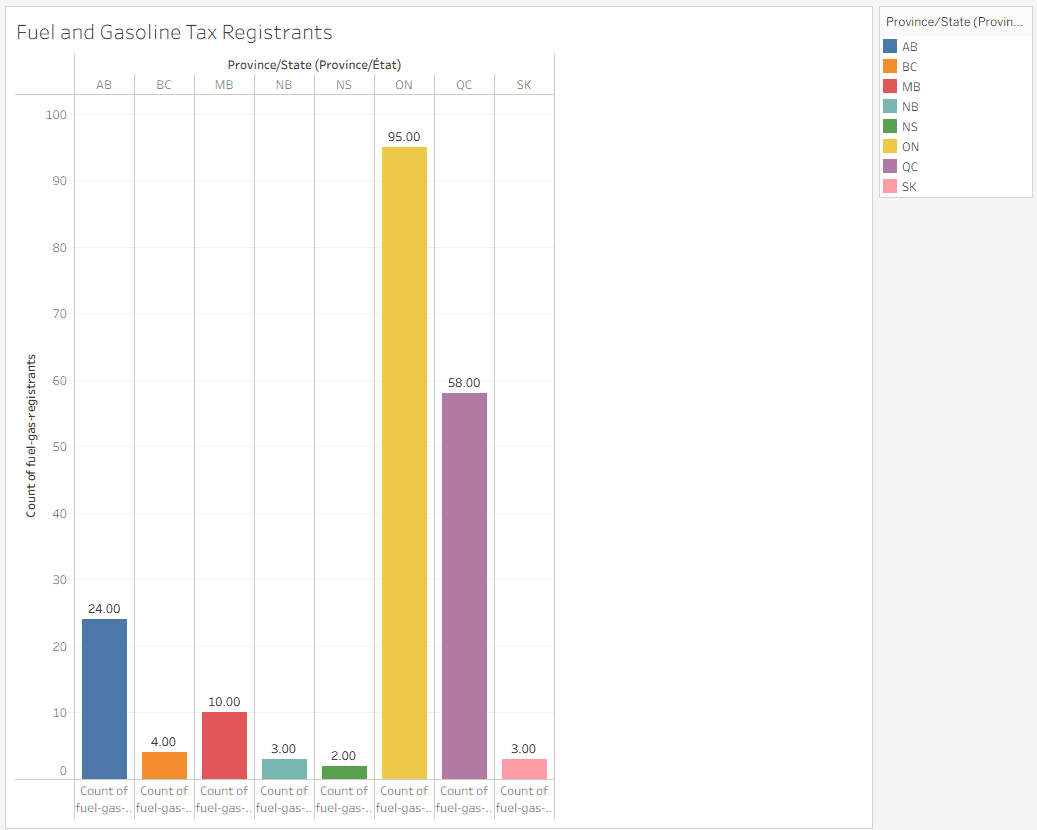
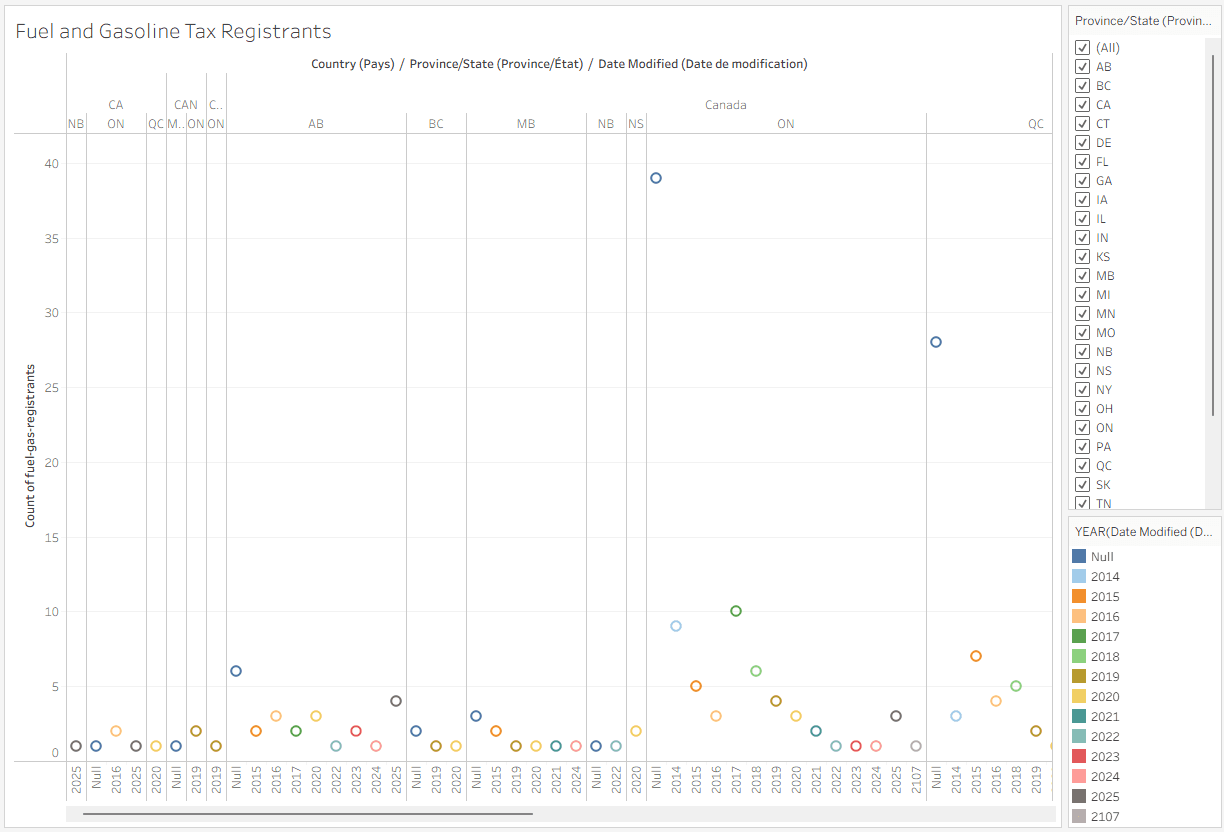
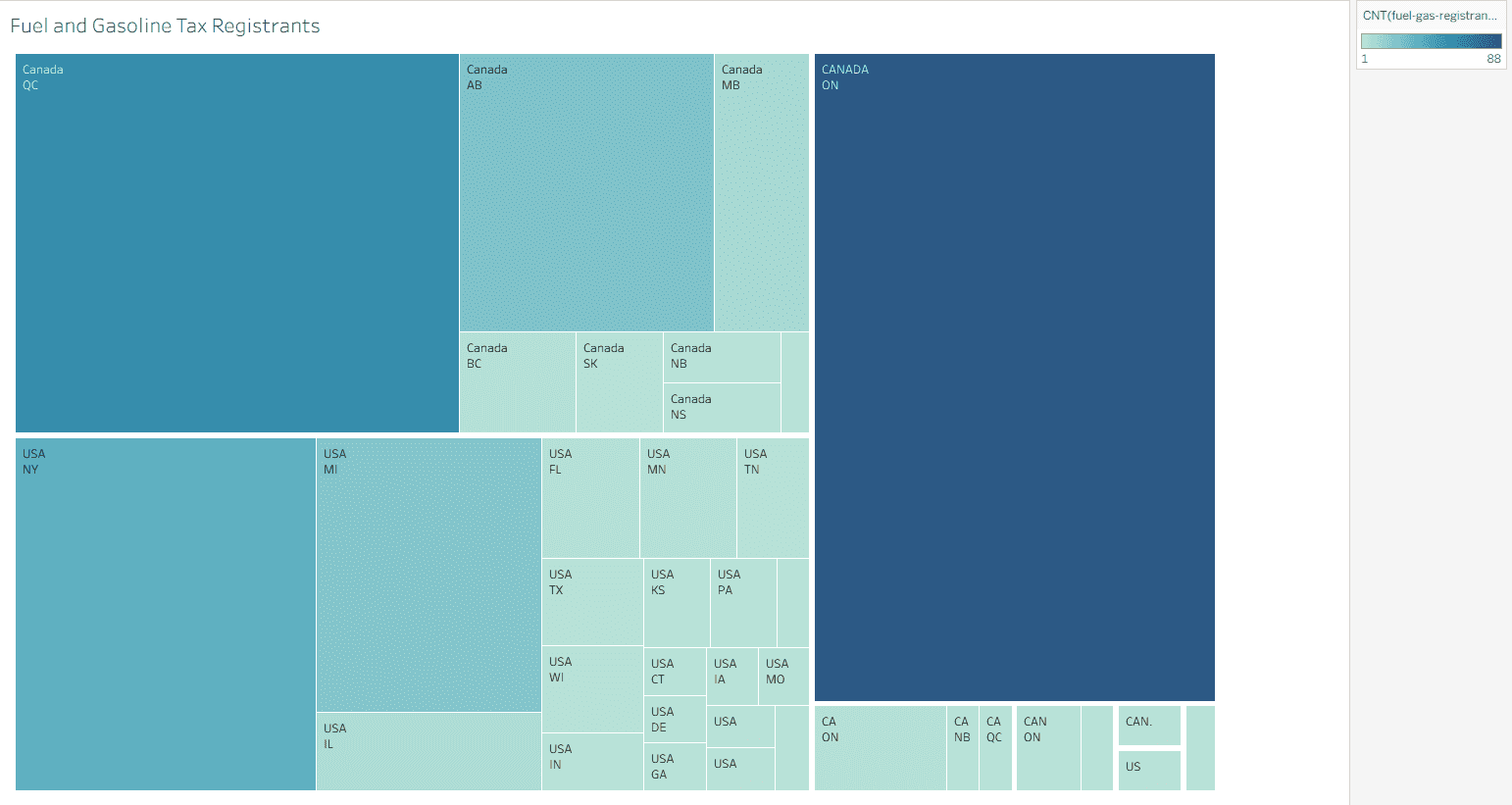
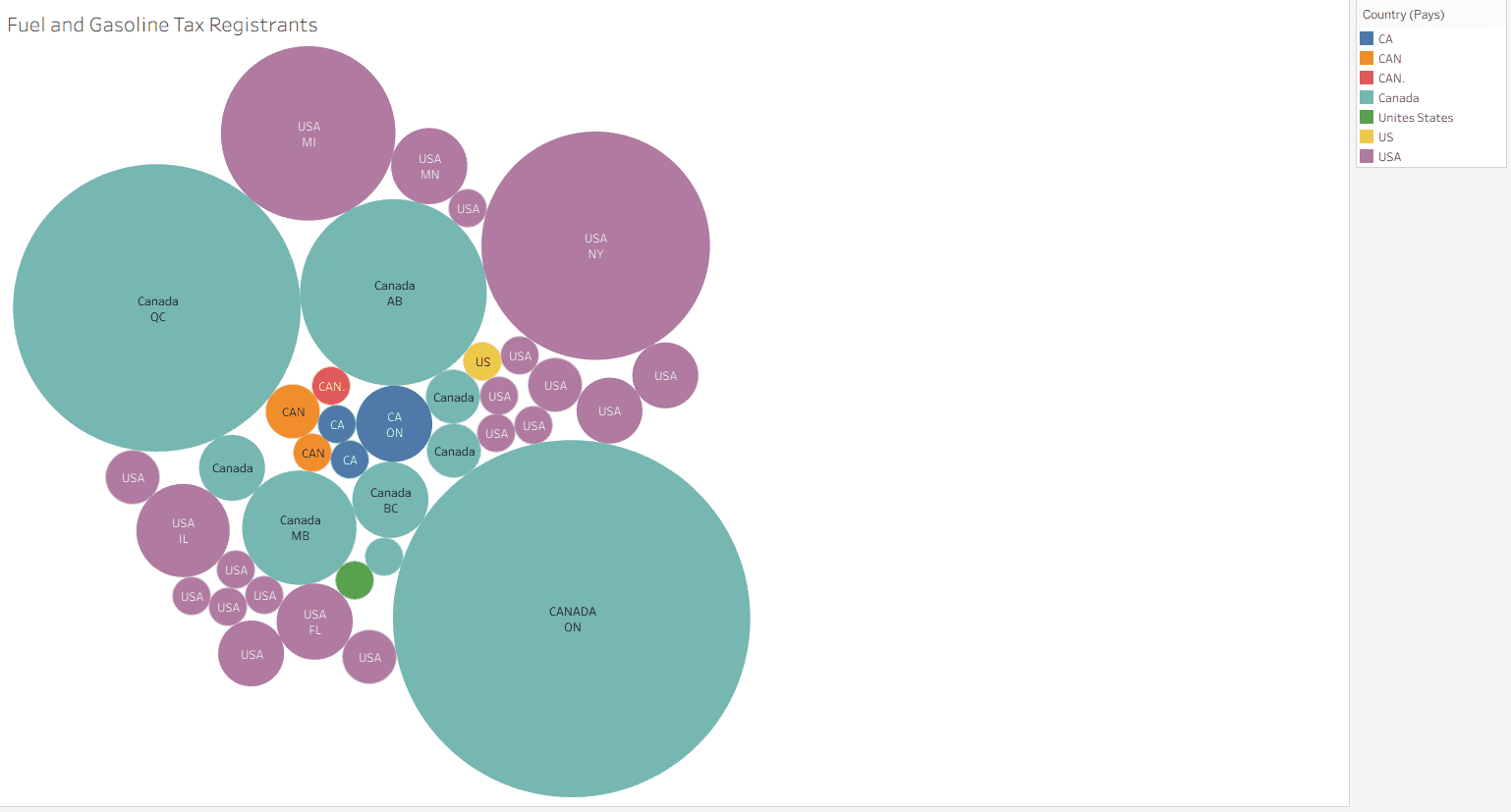
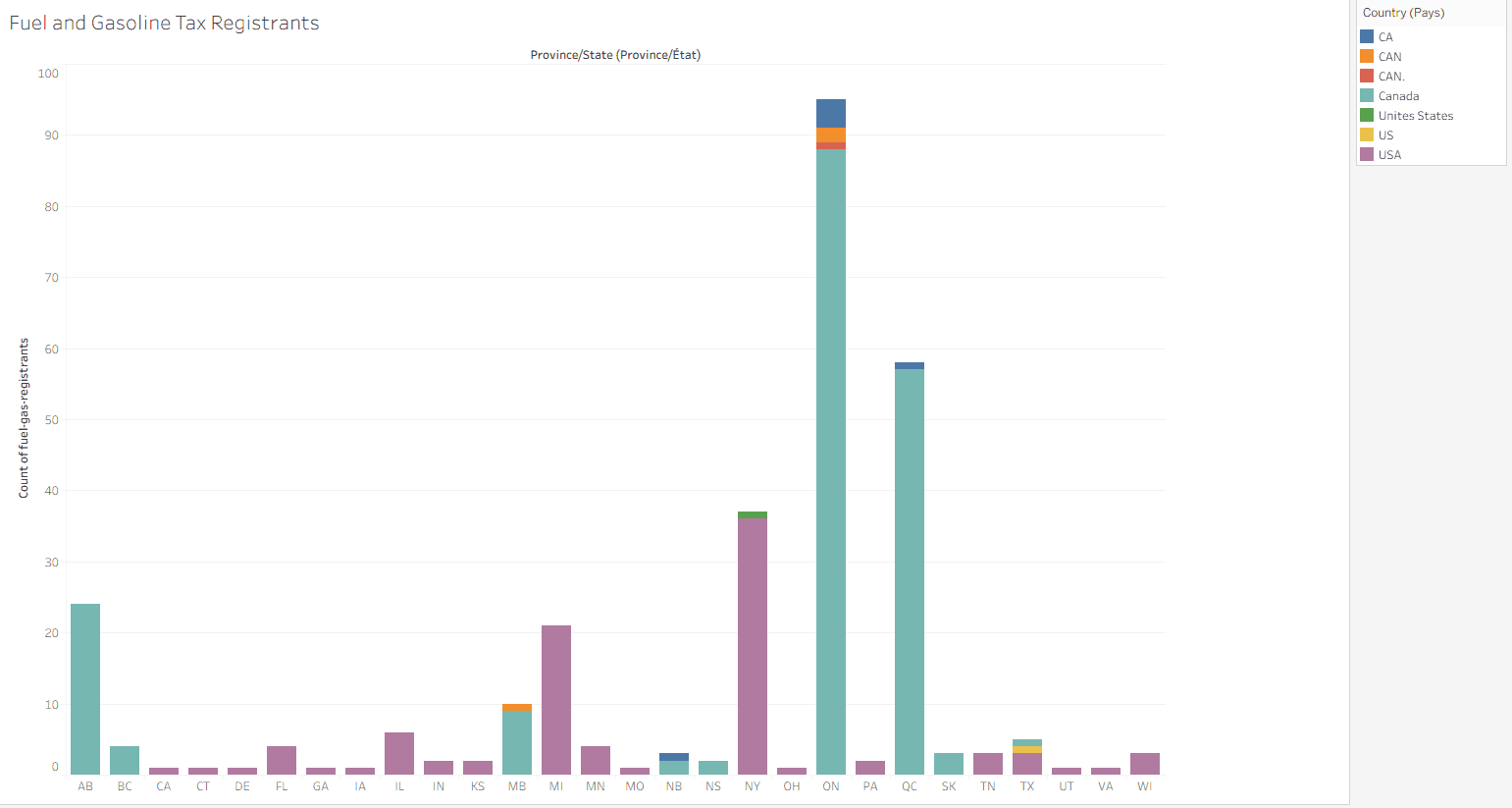
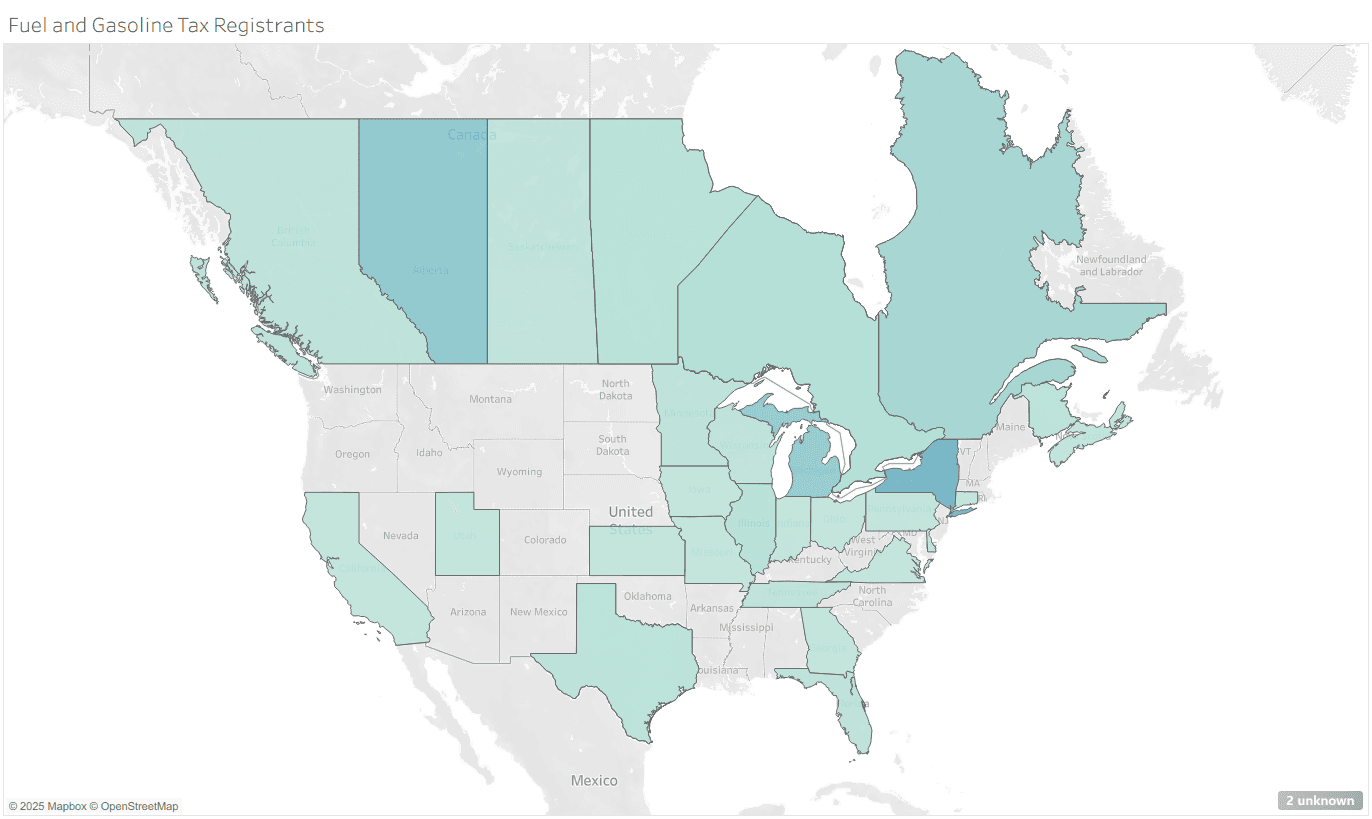
Research began by identifying the target audience and selecting a dataset from the official Ontario Government website detailing Fuel and Gasoline Tax Registrants across Canadian provinces. The visualization was designed for regulators, safety inspectors, and government workers aged 25–55 who monitor compliance and safety standards. To ensure clarity and efficiency, the design focused on readability, data hierarchy, and visual balance. The dataset was imported into Tableau to test multiple chart types, including Geolocation Maps, Stacked Bar Charts, Packed Bubbles, Treemaps, and Circle Charts. Each format was evaluated for its clarity, accuracy, and aesthetic effectiveness, with the final selection chosen for its ability to communicate regional patterns clearly to the target audience.
Displaying how the dataset would look in varying forms and find its best representative
Research and Observation


During the initial layout exploration, the focus was on establishing readability, alignment, and visual hierarchy within the composition. The first layout positioned the title, description, and legend vertically at the top to create a clear entry point and smooth information flow, while the bars extended horizontally to support a left-to-right reading pattern. Provincial labels were placed along the right side, with numerical data organized along the bottom to maintain structural balance. The second layout refined this approach by repositioning the title and description above the provincial labels and shifting the legend to the top-right corner, reinforcing eye movement, flow, and overall user accessibility across the chart.
Initial Sketches and Layout Designs
Testing out different layouts, exploring their strengths and weaknesses to display the data in a better way
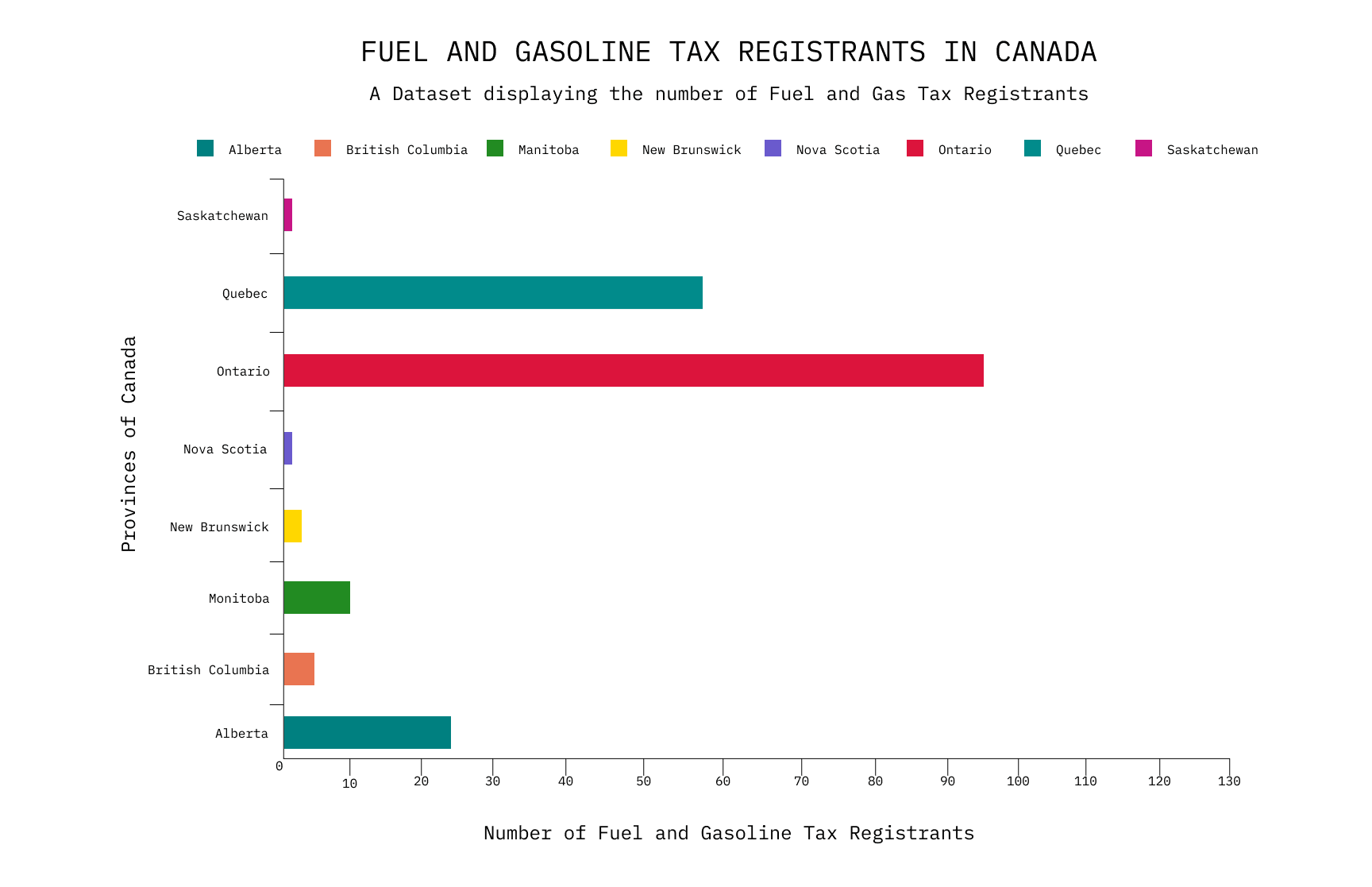
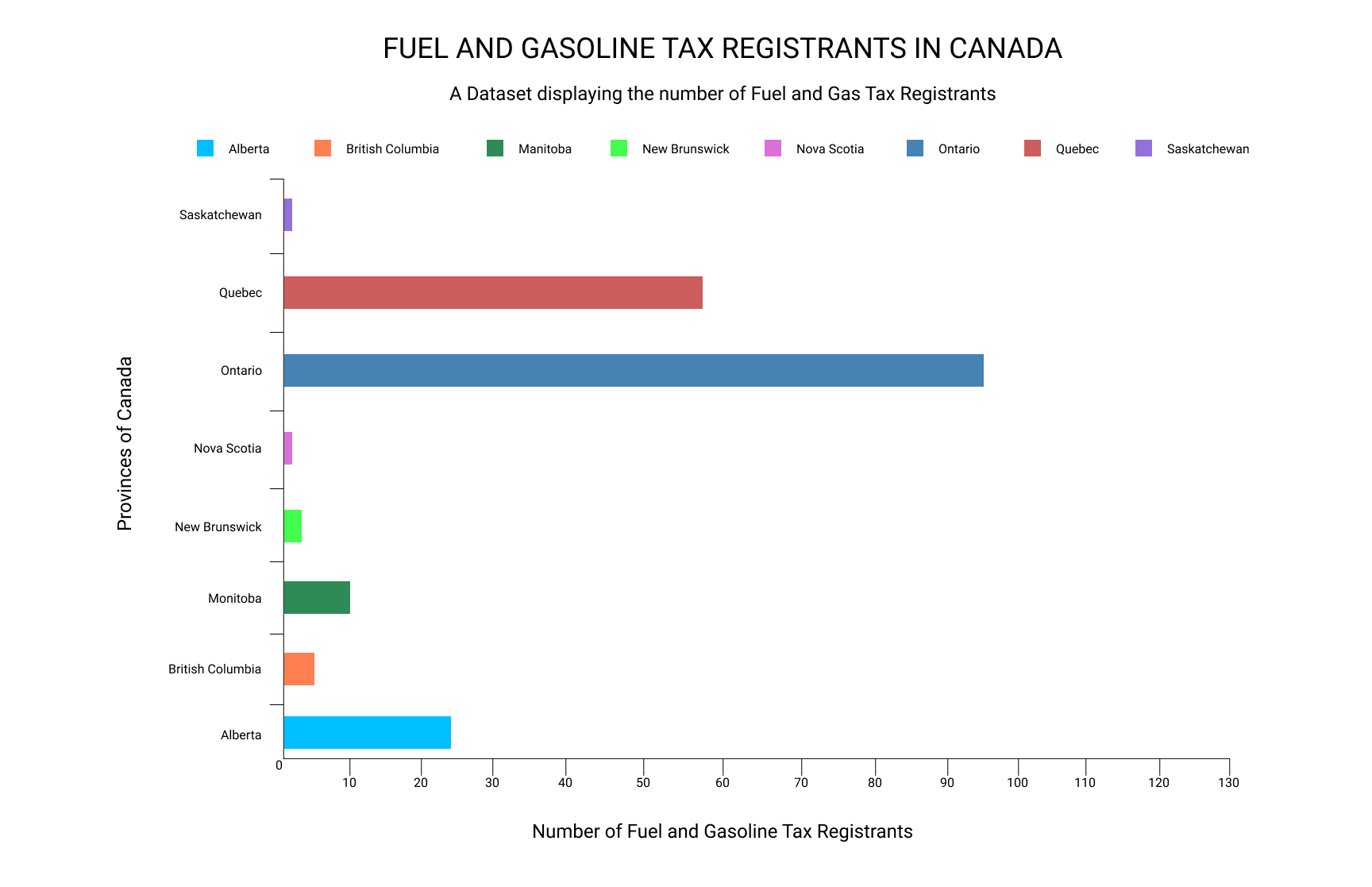
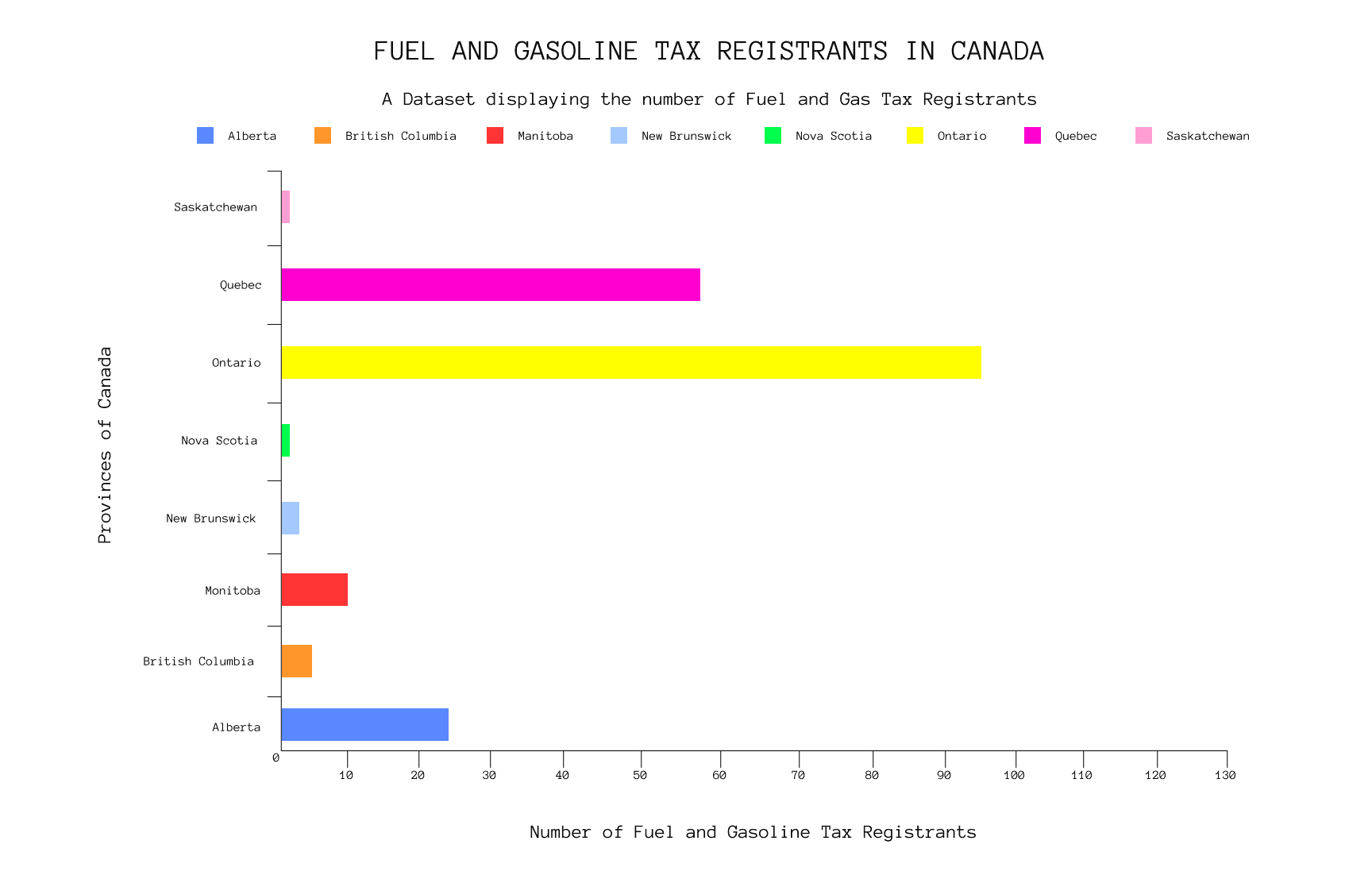
The visual development stage focused on refining typography and colour to improve readability and balance. Three typefaces, Anonymous Pro, Roboto, and IBM Plex Mono, were tested for legibility, spacing, and visual harmony within the composition. Roboto was selected for its modern aesthetic, functional clarity, and suitability for data-heavy contexts, ensuring information remained easy to interpret. Colour experimentation followed, comparing Tableau’s default palette with custom schemes to establish stronger contrast and data distinction. The final palette introduced bold yet balanced hues that differentiated provincial data clearly without overwhelming the viewer, maintaining both visual hierarchy and aesthetic consistency throughout the design.
Visual Development
Exploring different typefaces and colours to ensure clear readability and distinction of the bars
Peer feedback emphasized improving color contrast, label readability, and spatial alignment within the chart. It was noted that certain color choices, such as Quebec and Alberta, were too similar and could reduce clarity when comparing data across provinces. Suggestions included adjusting the legend placement to reduce eye movement and refining hierarchy between titles, subtitles, and axis labels to guide user attention more effectively. Implementing this feedback led to stronger visual differentiation, improved data accessibility, and a more cohesive composition that communicates quantitative information with greater precision and balance.
Refinement and Peer Feedback
Ensured bar colours weren't clashing against each other which could lead to potential confusion by the reader
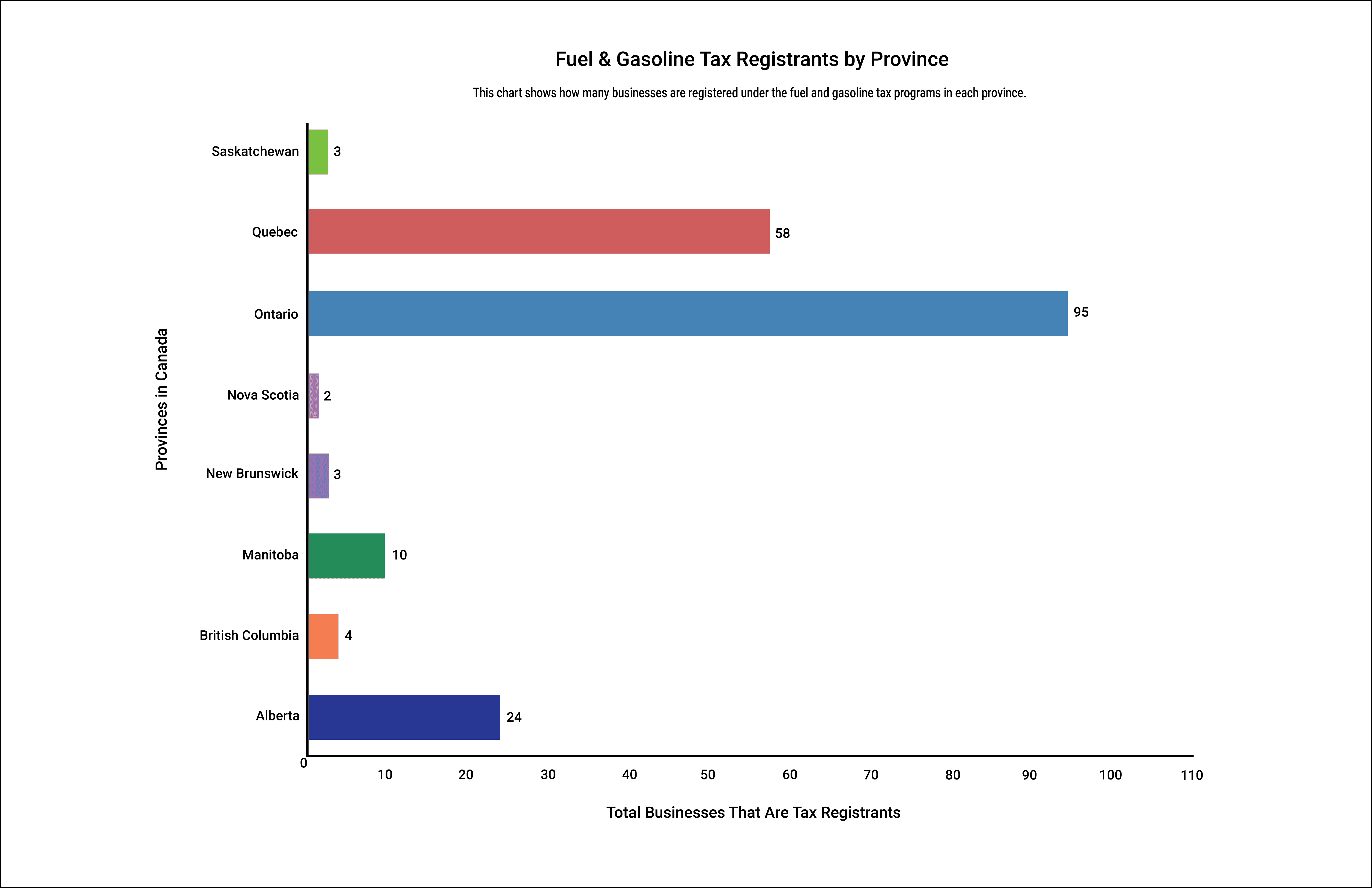
The final chart design emphasizes clarity, organization, and readability to meet the needs of regulators, safety inspectors, and government workers who rely on accurate data for decision-making. Removing the color legend created more negative space, allowing the visual hierarchy to center on the bar chart as the primary focus. Exact data values were placed directly on the bars to support quick comprehension and eliminate estimation, while unnecessary tick marks were removed to maintain a clean, data-driven aesthetic. These refinements improved both visual balance and usability, resulting in a professional and accessible visualization that communicates complex information with simplicity and precision.
Final Outcome and Reflection